CRM for car services
The CRM That Takes Requests by Itself
An AI assistant answers your car service’s customers on WhatsApp, Instagram and Telegram and puts their requests into the CRM. Cars, work orders, cash and stock in one place.
We set the CRM up for your shop.

- 01
Requests Come In by Themselves
The assistant answers customers around the clock in their language: prices, address, when to come. It puts the request with the car into the CRM and passes the hard questions to you.
- 02
Every Car on One Board
Estimate, waiting for parts, in work, ready. You see where each car is, who is on it and what is ordered.
- 03
Work Orders by VIN
Type the VIN, and the make, model, year and engine fill in. Labour and parts from your price list, a mechanic on every job.
The CRM on a Phone
Screens from a demo car service, in Russian. The CRM also works in English and Georgian, and a computer shows the same sections.
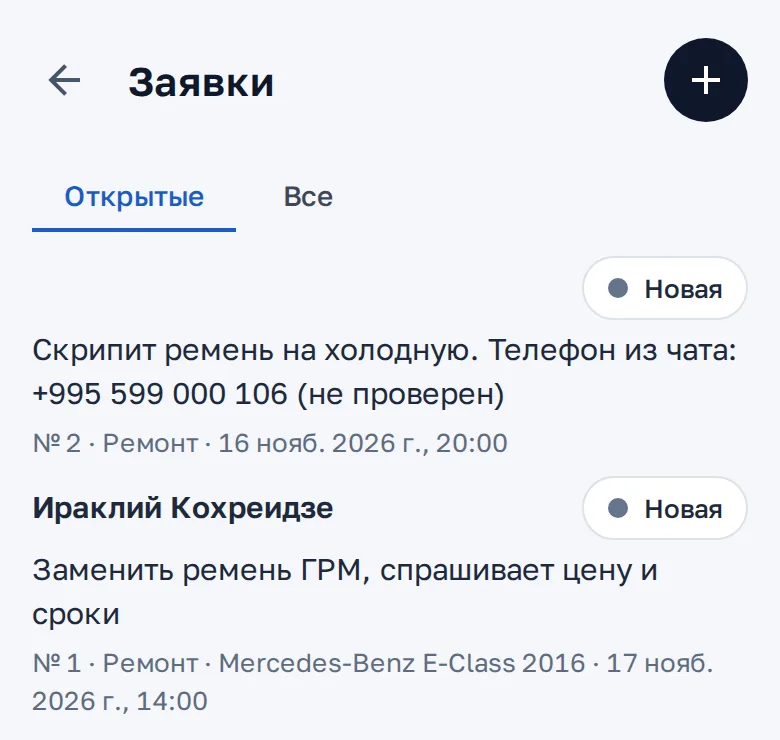
01InquiriesA call, a visit or a chat message. The assistant opens an inquiry from a chat, and an inquiry becomes a work order. 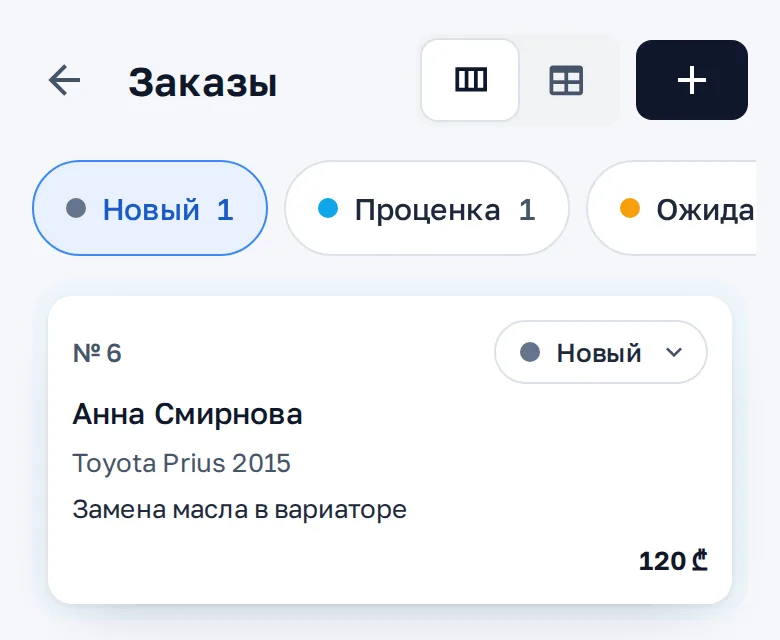
02Orders boardOrders by status: the client, the car, the job and the sum. 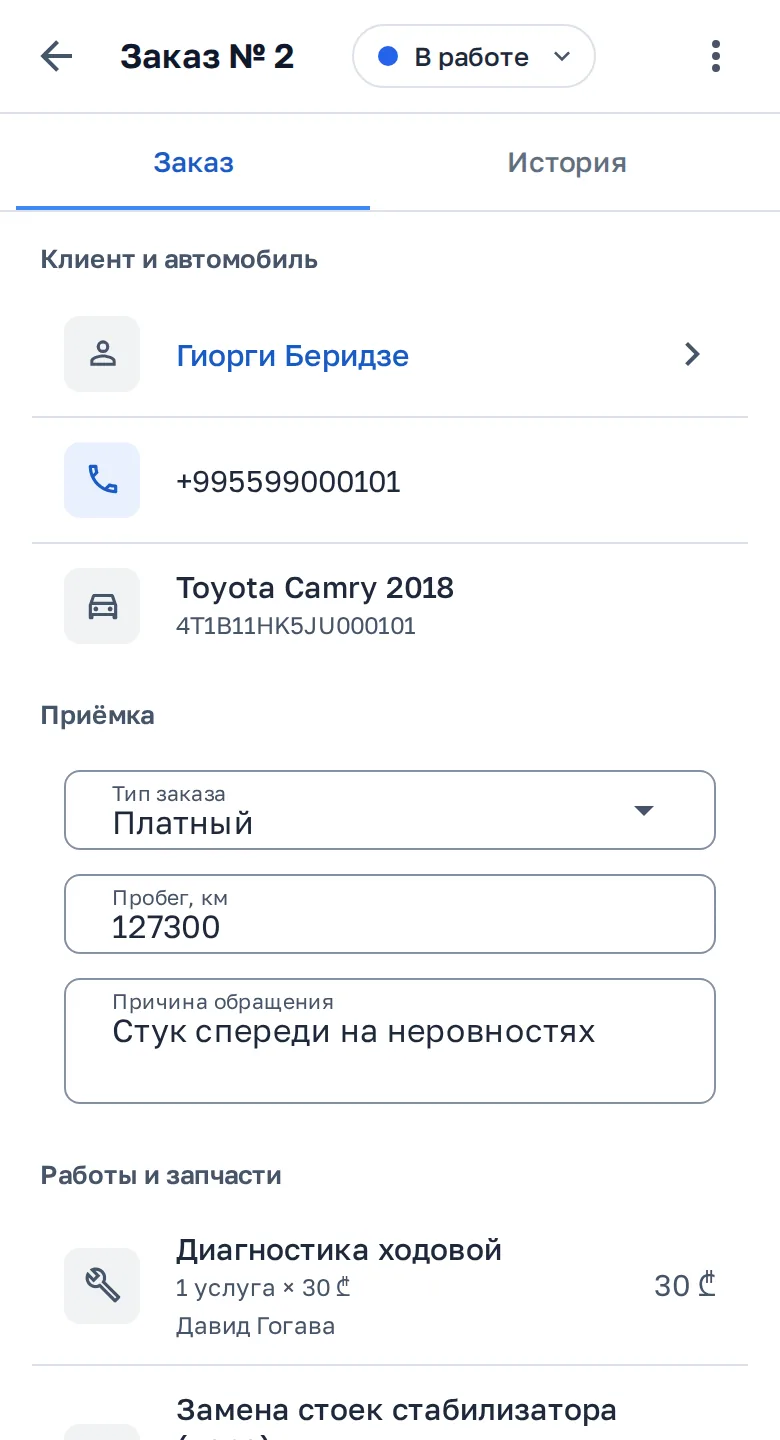
03Work orderThe client and the car by VIN, mileage, the complaint, jobs and parts with the mechanic. 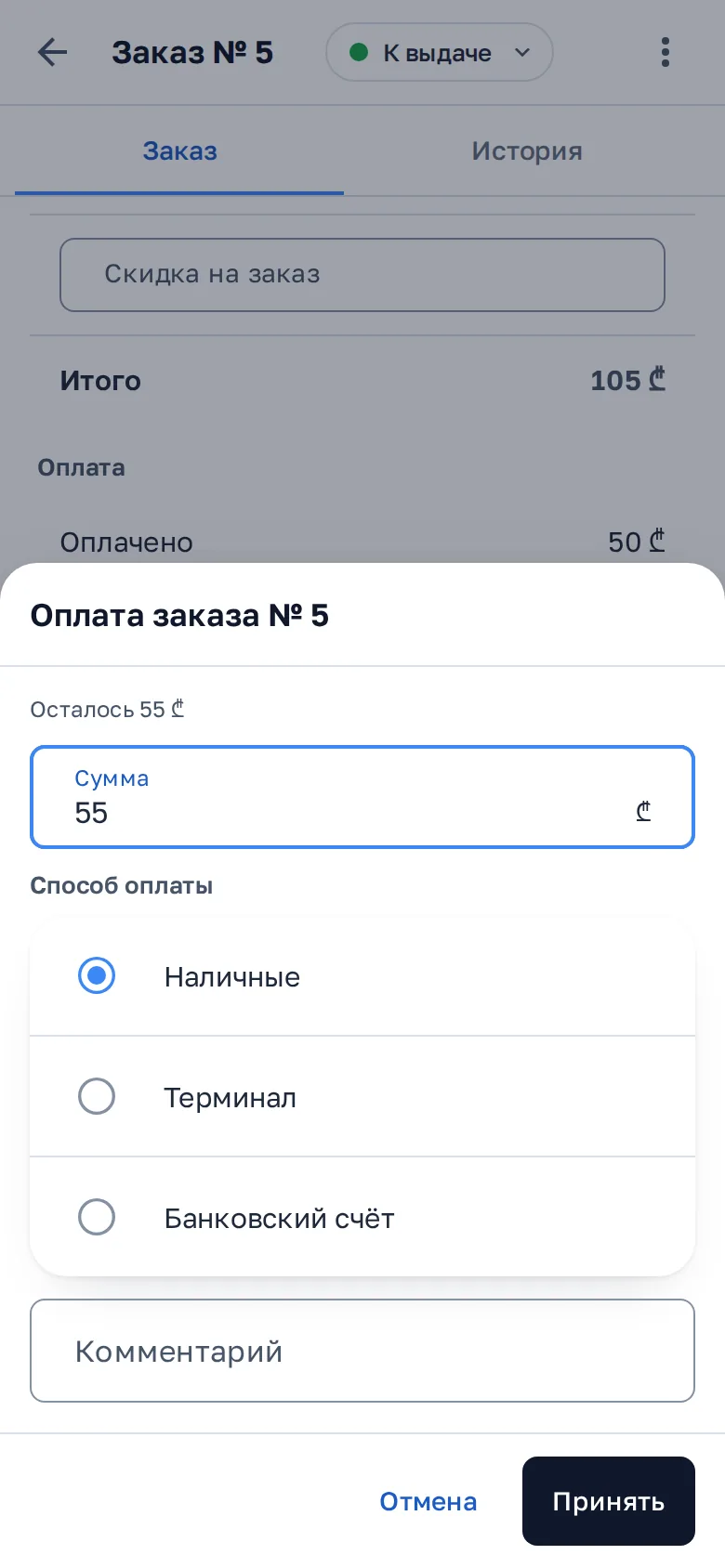
04PaymentCash, a terminal or a bank account. The CRM shows what is left to pay. 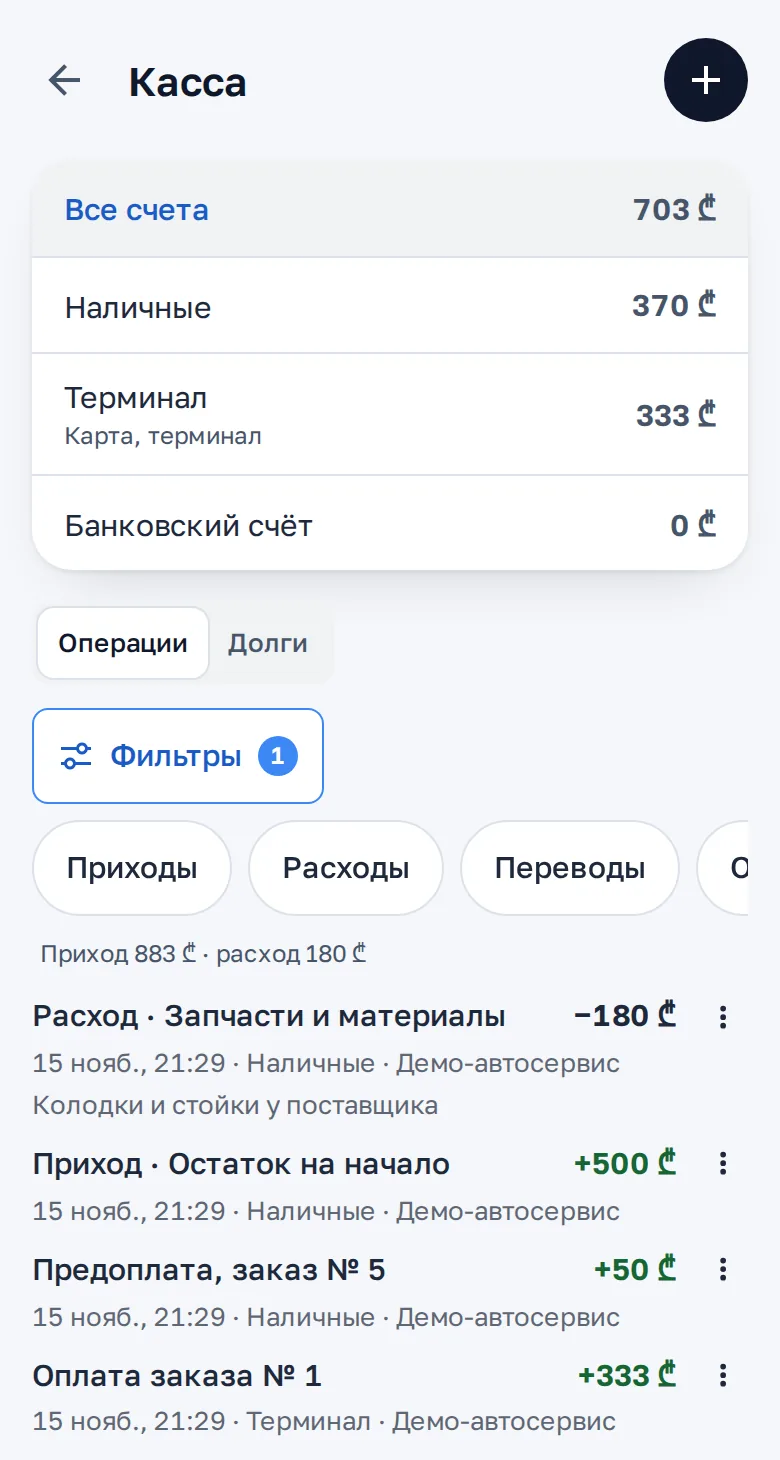
05Cash deskBalances by account, income, expenses and what clients owe. 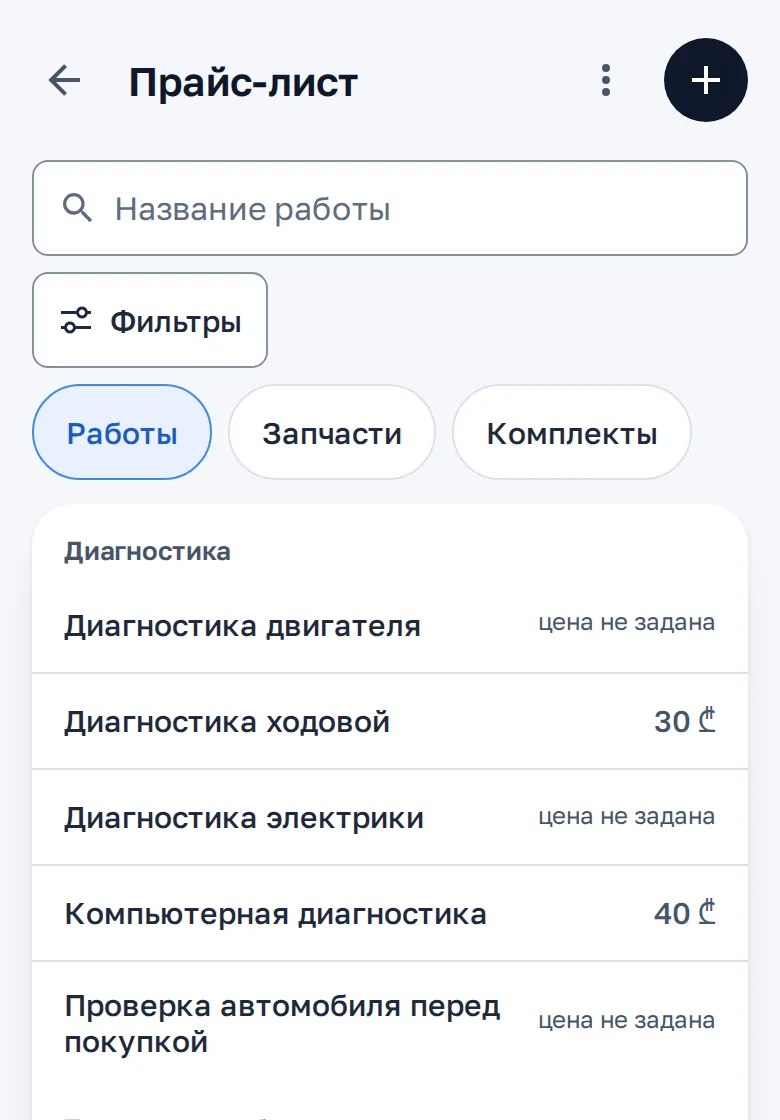
06Price listJobs and parts by category. The assistant quotes clients its prices.
What Is Inside the CRM
Customers and Cars
- A customer card with the repair history
- Cars by VIN: make, model, year, engine
- Where the customer came from: Instagram, friends, passing by
Work Orders
- Statuses on a board that you set up your way
- The customer’s complaint, mileage, photos at intake
- Labour and parts with prices, a mechanic on every job
- Advice for the customer’s next visit
Price List and Documents
- Price list: maintenance, diagnostics, repair
- Printed work order, completion act and warranty card
- Warranty on labour and parts with its terms
Cash and Pay
- Cash, card, prepayment, bank transfer
- Expenses: parts, salaries, rent
- Which customers owe you
- Mechanics’ pay from their output
- Discounts and loyalty cards
Stock and Parts
- Oils, filters and common parts
- A reminder when stock runs low
- An arrived part reserved for its car
- Parts the customer brings, and parts sold without a repair
- Markup, stock-takes, what you owe suppliers
Messages to the Customer
- Waiting for a part, the date moves
- The car is ready: the sum, the work and the parts
- A request for a review
- A reminder of the next service
For the Owner
- Cars in work and their stage
- Revenue per day and month, average order
- How many requests became orders, who declined and why
- The day’s totals on WhatsApp every evening
Team
- Own logins for the receptionist and the parts buyer
- Permissions by role
- Mechanics in work orders and pay, no login needed
What It Looks Like
- 01
Prices from the price list
The assistant quotes the diagnosis price from your price list and asks when the customer can come.
- 02
An inquiry in the CRM
It records the car, the complaint and the preferred time in an inquiry. The receptionist confirms the time.
- 03
Order status
When the customer asks about the car, the assistant checks its order in the CRM and answers.
This example was written for this page. The assistant answers from your shop’s prices and rules and passes complaints and disputes to a person.
How We Launch It
What we need from you
- Your labour price list in any form: Excel, a photo or a list
- Who works in the shop and what each person may do
- The shop’s WhatsApp or Instagram where customers write
Step by step
- We call and go through how your shop works
- We set up the CRM: statuses, work order fields, price list and documents
- We connect the assistant to your messengers and train it on your materials
- We show it to your team and launch
Questions
Do I need to install anything?
No. The CRM opens in a browser on a computer and on a phone.
How does the CRM work with the assistant?
The CRM is added to a BotHelper plan. The assistant answers customers and logs requests, and you see the conversation and the request in one dashboard.
What if the assistant does not know something?
It says it will check and passes the conversation to you or the receptionist. Complaints, disputes and the exact repair price always go to a person.
Which languages?
The assistant answers in the customer’s language: Russian, Georgian, English and others. The CRM is in Russian, Georgian and English.
How much does it cost?
We work out the price for your shop. Write to us on WhatsApp.